Create your first app
Create a Revenipe app, choose your default currency, enable sandbox mode, and select your billing integration.
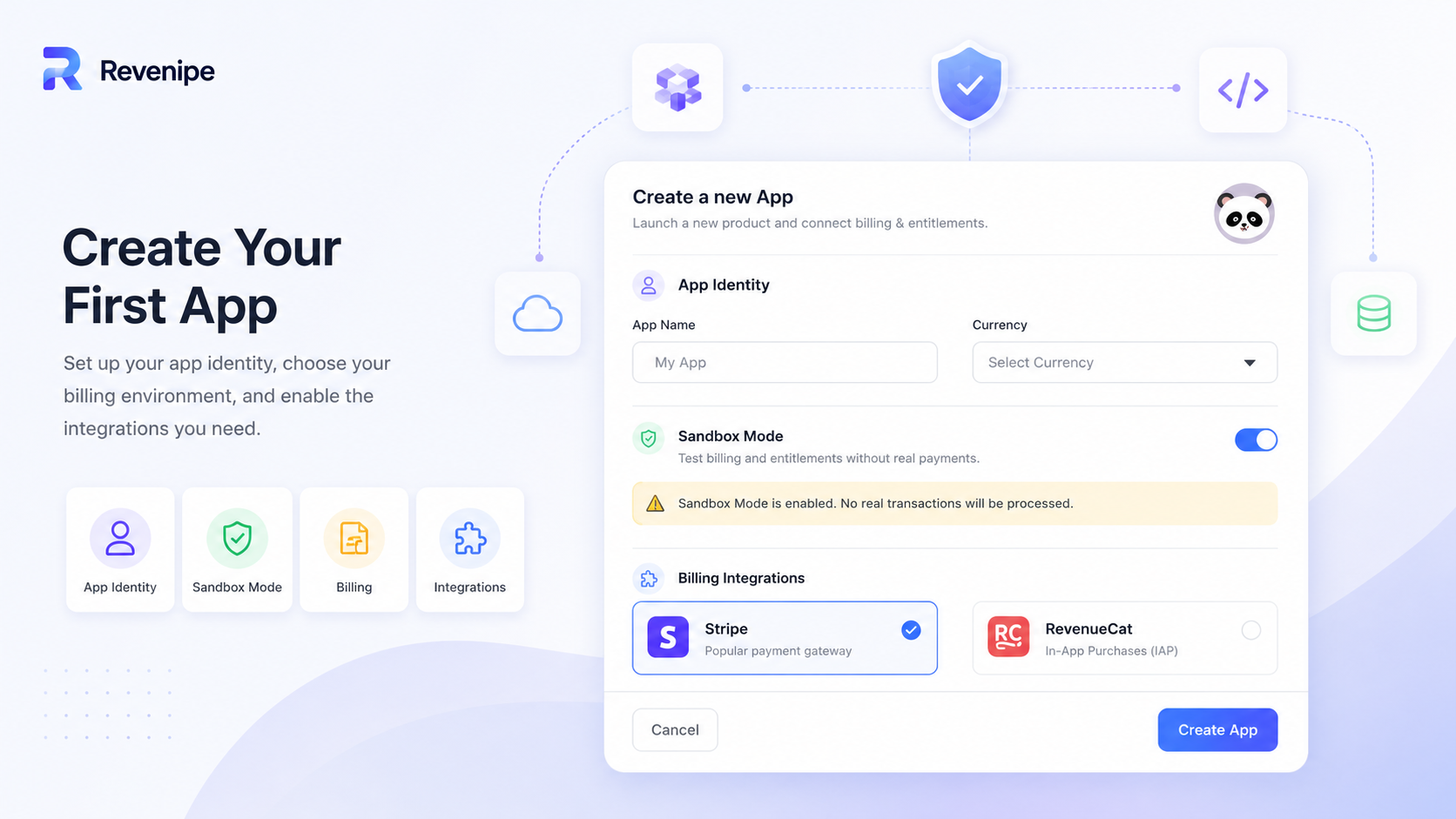
An app in Revenipe represents one project that uses Revenipe for billing, products, customers, and entitlement management.
Each app has its own configuration, billing integrations, products, entitlements, and customer access state.
When to create an app
Create one Revenipe app for each product or project you want to manage separately.
For example, if you have two different mobile apps, they should usually be separate Revenipe apps. This keeps products, customers, providers, pricing, and entitlements isolated.
One app for one product or project
Separate products and entitlements per app
Separate sandbox and production setup
Separate SDK configuration
Separate customer access state
Step 1: Enter app identity
Start by giving your app a recognizable identity.
The app name is visible internally in the Revenipe dashboard and helps you identify the project later.
App Name: the name of your app or project
App Icon: optional visual identifier for your app
Step 2: Select a currency
Choose the default currency for the app.
This currency is used as the default for plans and invoices when creating products and prices.
Use the currency your customers will usually pay in
Keep the currency consistent with your Stripe setup
For testing, use the same currency you plan to use in production
Step 3: Use sandbox mode while testing
Enable sandbox mode while setting up and testing your integration.
Sandbox mode lets you test billing and entitlements without processing real transactions.
Sandbox mode is recommended for development and testing. Switch to production only when your products, provider setup, SDK integration, and webhook flow are ready.
Step 4: Select a billing integration
Select the billing integration you want to use for this app.
Stripe: use this for web payments, Checkout, Payment Sheet, subscriptions, one-time payments, trials, and add-ons
RevenueCat: use this for in-app purchases and subscription state from app stores
Step 5: Create the app
After entering the required details, create the app.
Once the app is created, you can connect your provider account, create products, attach entitlements, and configure the SDK.
Important
Use one Revenipe app for one product or project.
Do not reuse the same app for unrelated products unless they intentionally share the same customers, products, and entitlement model.
Start in sandbox mode first. This lets you validate your product setup, purchase flows,
and entitlement checks before using real payments.
Next steps
After creating your app, connect Stripe or RevenueCat, then create your first product and attach entitlements.